Anuncios
¡Convierte tu creatividad en Robux con divertidas ideas para juegos de Roblox!
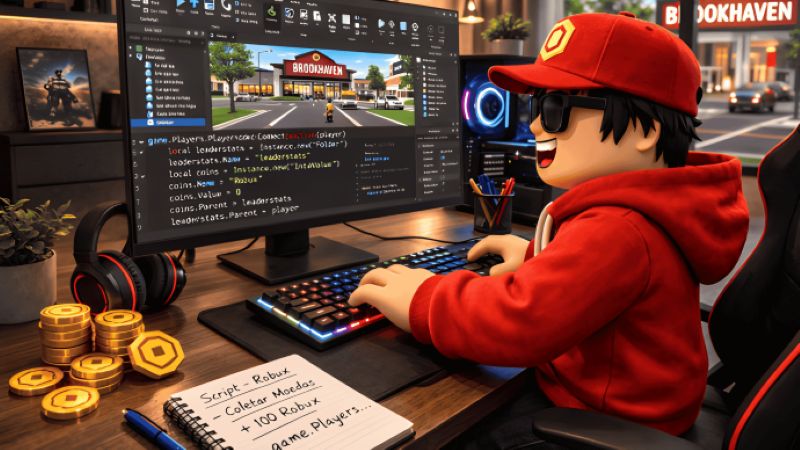
La mayoría de los fans de Roblox sueñan con conseguir más Robux, pero muchos desconocen cómo los ganan los desarrolladores. ¿Quién no se ha preguntado si es posible obtener beneficios de la creatividad?
Una de las formas más populares y realistas de ganar Robux con el tiempo es creando tus propios juegos en Roblox. Este proceso combina la pasión con habilidades prácticas para obtener resultados potencialmente gratificantes.
Si tienes curiosidad por saber cómo funciona todo, desde cómo lanzar Roblox Studio hasta cómo atraer jugadores y ganar Robux, esta guía paso a paso cubre todos los pasos esenciales.
1. Descarga Roblox Studio y crea tu cuenta de desarrollador.
Para empezar, dirígete directamente al sitio web oficial de Roblox y descarga Roblox Studio. Evita las fuentes o sitios web no oficiales; solo el sitio principal de Roblox es completamente seguro.
Necesitarás una cuenta de Roblox, que puedes registrar en la página principal de Roblox. Si eres menor de 13 años, tus padres pueden ayudarte a configurar los ajustes de seguridad adecuados para niños.
Tras iniciar sesión, accede a la página "Crear" en la parte superior del sitio web de Roblox. Este es tu Panel de Desarrollador, el centro principal para crear y publicar juegos.
Protege tu cuenta activando la verificación en dos pasos, creando una contraseña segura y nunca compartiendo tus datos de acceso. Las cuentas seguras protegen tus proyectos y tus ganancias de Robux.
2. Aprende los conceptos básicos de Roblox Studio.
La interfaz principal de Roblox Studio consta de paneles para explorar, acceder a las propiedades, gestionar el espacio de trabajo y crear una amplia área de edición. Dedica unos minutos a familiarizarte con las ventanas y la ubicación de las herramientas esenciales.
Utiliza la barra de herramientas superior para seleccionar, mover, rotar, escalar o pintar objetos en tu mapa. Acerca o aleja la imagen o desplázate con el ratón para editar con mayor facilidad.
Añade nuevos objetos y modelos desde la caja de herramientas con un solo clic. Puedes arrastrar y soltar elementos, o importar tus propias texturas, sonidos y mallas para mayor variedad creativa.
La programación de scripts es la forma de añadir mecánicas, como saltos o puntuación. Lua es el lenguaje que usa Roblox. Experimenta editando scripts básicos y observa cómo los cambios afectan al juego.
3. Elige una idea de juego que los jugadores realmente quieran.
Una idea creativa distingue a tu juego de Roblox. Explora los géneros más populares, pero siempre dale tu toque personal para destacar y atraer a jugadores apasionados.
| Estilo de juego | Por qué les gusta a los jugadores |
|---|---|
| Magnate | Crear y mejorar negocios es adictivo y resulta gratificante. |
| Obby | Abreviatura de circuito de obstáculos: saltos y rompecabezas desafiantes son divertidos y rejugables. |
| Simulador | Permitir que los jugadores progresen y coleccionen es lo que hace que estos juegos sean emocionantes. |
| Juego de roles | Aquí florecen las experiencias sociales y creativas; los amigos pueden pasar el rato y representar historias. |
| Supervivencia | Superar amenazas o explorar islas misteriosas atrae a los jugadores aventureros. |
| Inspirado en el anime | Las series y los fandoms ofrecen una audiencia incorporada ávida de nuevos juegos temáticos. |
Las tendencias cambian rápidamente. Sigue lo que está de moda, pero intenta combinar géneros populares con características únicas, nuevas misiones o arte original para que tu experiencia deje una huella imborrable.
4. Crea tu primer juego de Roblox
Inicia un nuevo proyecto a partir de una plantilla o abre una base vacía en Roblox Studio. Las plantillas pueden acelerar bastante tu fase inicial de aprendizaje.
Utiliza las herramientas de construcción para crear mapas, plataformas y entornos. Primero, esboza tus ideas y luego transfórmalas en espacios digitales usando bloques, terrenos y modelos de la caja de herramientas.
Añade puntos de control, tablas de clasificación e interacciones sencillas para que tu juego resulte atractivo desde el principio. Los puntos de control funcionales ayudan a los jugadores a guardar su progreso y a reducir la frustración.
Prueba tu mapa constantemente. Haz clic en "Jugar", "Jugar aquí" o "Ejecutar" en Studio para experimentar el juego desde la perspectiva del jugador y detectar errores o problemas antes de publicarlo.
Mejora la experiencia del usuario organizando el diseño, optimizando los controles de los personajes, utilizando ángulos de cámara fluidos y asegurándote de que la navegación sea divertida e intuitiva.
5. Añade funciones de monetización para ganar Robux.
Si quieres ganar Robux, es hora de añadir elementos de monetización a tu juego. Cada método permite a los jugadores pagar por mejoras, objetos o simplemente para mostrar su apoyo.
| Método de monetización | Cómo genera Robux |
|---|---|
| Pases de juego | Los jugadores adquieren poderes especiales o ventajas dentro del juego a cambio de un pago único. |
| Productos para desarrolladores | Se trata de compras de un solo uso, como vidas extra o bonificaciones de moneda dentro del juego. |
| Pagos de primas | Roblox te paga cuando los suscriptores Premium pasan tiempo en tu juego. |
| Acceso de pago | Los jugadores pagan Robux por adelantado para jugar o unirse a tu juego (ideal para versiones beta). |
| Donaciones | Permitir a los jugadores donar Robux a través de objetos especiales dentro del juego o mediante paneles de donación. |
| Artículos cosméticos exclusivos | Ofrecen aspectos, sombreros o efectos para personalizar personajes o la jugabilidad a cambio de un precio. |
Tus ganancias dependen de que los jugadores se queden, regresen y compartan. Actualiza con frecuencia y sigue las normas de Roblox sobre prácticas justas y políticas de monetización.
6. Publica tu juego y hazlo público.
Cuando estés satisfecho con tu creación, haz clic en "Archivo" y luego en "Publicar en Roblox como". Elige un nombre y asegúrate de escribir una descripción del juego atractiva para captar la atención de los jugadores.
Las miniaturas personalizadas llaman la atención más rápido. Toma una captura de pantalla llamativa, crea gráficos divertidos o usa sitios de edición gratuitos para que la imagen principal de tu juego destaque entre las demás.
Revisa la configuración de privacidad para que solo puedan unirse los jugadores que desees, pero si eliges la opción pública, todos podrán acceder a tu experiencia. Puedes cambiar la configuración cuando quieras si deseas ajustar el acceso de los jugadores más adelante.
Piensa en tu público objetivo y en las palabras clave para el título y la descripción. Un buen resumen, reglas claras e imágenes atractivas suelen ayudar a que tu juego de Roblox destaque y atraiga a nuevos jugadores curiosos.
Sitio

7. Consigue más jugadores para tu juego de Roblox.
Por lo general, cuantos más jugadores, mayor será el potencial de Robux. Existen formas creativas de llegar a una audiencia y mantener tu juego de Roblox lleno de actividad.
- Promociona tu juego con vídeos de montaje o resúmenes en TikTok. Los clips cortos con audio de moda pueden despertar la curiosidad y generar que los jugadores jóvenes los compartan rápidamente.
- Sube vídeos cortos y creativos a YouTube con consejos de juego, secretos ocultos o guías para superar desafíos ocultos. Incluye el enlace del juego en la descripción para que sea más fácil de encontrar y tener mayor visibilidad.
- Únete a servidores de Discord para desarrolladores de Roblox o de tu género de juego. Crea una pequeña comunidad de fans, comparte avances exclusivos y organiza sesiones de preguntas y respuestas o de retroalimentación para fomentar la lealtad.
- Actualiza tu experiencia con frecuencia con nuevos niveles, desafíos o funciones. Las actualizaciones periódicas de contenido les dan a los jugadores motivos para volver e invitar a sus amigos.
- Organiza eventos de temporada o concursos con premios. Los premios o insignias exclusivos del evento hacen que los jugadores se sientan incluidos y motivados para participar.
- Añade funciones para compartir en redes sociales, como bonos por invitación o códigos de referencia. Los jugadores que inviten a amigos impulsarán el crecimiento de forma orgánica y, al mismo tiempo, obtendrán ventajas dentro del juego.
- Colabora con otros desarrolladores de Roblox: promocionad mutuamente vuestros juegos, intercambiad personajes no jugables (NPC) o cread eventos y recompensas compartidas para obtener mayor visibilidad.
Una promoción constante y creativa suele ser tan importante como la calidad del juego a la hora de conseguir una base de jugadores estable y ganar más Robux.
8. Mantén a los jugadores comprometidos y que regresen.
Ofrece recompensas diarias por iniciar sesión, como monedas, objetos raros o insignias, para incentivar a los jugadores a regresar cada día y prolongar la duración de las sesiones, incluso en periodos cortos.
Crea sistemas de progresión. Ya sea desbloqueando nuevos mapas, adquiriendo habilidades o completando desafíos, los jugadores regresarán si se sienten recompensados por su fidelidad al juego.
Planifica eventos por tiempo limitado. Las misiones especiales, las recompensas de temporada o el equipamiento con límite de tiempo mantienen la experiencia de juego fresca y ofrecen a los jugadores un motivo para volver cada semana.
Mejorar la retención de usuarios significa tener más usuarios activos, lo que ayuda a que tu juego suba en las listas de Roblox y aumenta el potencial de ganancias provenientes de compras relacionadas con Robux y pagos Premium.
9. Errores que impiden a los desarrolladores de Roblox ganar Robux
Un error común es copiar otro juego sin añadirle tu toque personal. La falta de creatividad reduce el interés de los jugadores y puede provocar que Roblox elimine el juego.
Una mala optimización, como mapas con retraso y tiempos de carga lentos, ahuyenta a los jugadores. Prueba siempre tu juego en dispositivos de gama baja para garantizar una experiencia fluida para todos.
Las estrategias de monetización agresivas, como el exceso de ventanas emergentes o los sistemas de pago para jugar, frustran a los usuarios. Los jugadores evitan los juegos que les resultan intrusivos o injustos, lo que se traduce en menores beneficios a largo plazo para los desarrolladores.
Ignorar las reseñas o los comentarios de los jugadores suele frenar el crecimiento. Corrige los errores con regularidad, escucha las sugerencias y actualiza tu juego para que los fans se sientan valorados y comprometidos.
Abandonar las actualizaciones demasiado pronto es otro error común. Incluso los buenos juegos pierden usuarios activos si no se les da mantenimiento, lo que reduce la participación y las oportunidades de obtener Robux con el tiempo.
10. Mejora tus habilidades como creador de contenido en Roblox.
La creatividad es fundamental: prueba nuevas ideas de juego, combina géneros y experimenta hasta encontrar la fórmula perfecta. La originalidad garantiza que tu experiencia en Roblox sea divertida y exitosa.
Los fundamentos de la programación desbloquean funciones personalizadas. Experimenta con Lua, sigue tutoriales para principiantes y usa el foro de desarrolladores de Roblox para resolver problemas o inspirarte con las ideas de otros.
Un buen diseño de juego equilibra el desafío y la diversión. Piensa en el ritmo, la curva de aprendizaje, los potenciadores y la equidad a medida que lo desarrollas para que todos se lo pasen en grande.
La gestión de la comunidad también es importante. Organiza eventos, responde a los mensajes y fomenta la retroalimentación para crear una base de jugadores leales y consolidar tu reputación como desarrollador de Roblox.
Mantente al tanto de las tendencias de Roblox. Observa qué contenido llega a la página principal y adáptate, pero siempre busca maneras de añadir tu toque personal a las nuevas ideas y actualizaciones.
Requisitos de configuración del dispositivo y de Roblox Studio
Para crear juegos sin problemas, tu PC o portátil debe cumplir ciertos requisitos. Optimizar tu dispositivo es clave para sacarle el máximo partido a Roblox Studio.
- Comprueba los requisitos mínimos (normalmente Windows 7 o superior, procesador de 1,6 GHz, 1 GB de RAM) y procura alcanzar los requisitos recomendados (Windows 10/11, 2 GB o más de RAM, tarjeta gráfica actualizada) para una edición y prueba fluidas.
- Ajusta la configuración gráfica en Roblox Studio para reducir los efectos visuales innecesarios que podrían ralentizar tu ordenador, especialmente si trabajas con mapas grandes o muchos modelos.
- Reduce la latencia cerrando las aplicaciones en segundo plano, utilizando una conexión a internet por cable y manteniendo tus proyectos de desarrollo organizados con scripts limpios y solo los recursos necesarios.
- Actualiza periódicamente los controladores de gráficos a través de Nvidia, AMD o Intel. Esto garantiza que tu sistema reciba las últimas mejoras de rendimiento y correcciones de errores para ejecutar Studio.
- Mantén un amplio espacio libre en el disco duro: los proyectos de Roblox con muchas texturas, audio o modelos 3D pueden consumir mucho espacio rápidamente. Realiza copias de seguridad periódicas y elimina los archivos que no utilices.
- Para proyectos de juegos de mayor envergadura, considera usar un segundo monitor o una unidad de almacenamiento externa. Más espacio en pantalla y un almacenamiento rápido pueden hacer que la edición y las pruebas sean mucho más rápidas y divertidas.
Una configuración estable y optimizada aumenta la productividad y evita bloqueos o ralentizaciones frustrantes durante momentos importantes del desarrollo del juego.
Reflexiones finales
Ganar Robux con tus propias creaciones de Roblox es totalmente posible, pero requiere espíritu experimental, paciencia y un compromiso constante; no todos los juegos triunfan de la noche a la mañana.
Las actualizaciones constantes, la atención a los comentarios y la promoción regular son cruciales para fidelizar a los jugadores a largo plazo. No esperes grandes ganancias de inmediato.
Utiliza tus primeras versiones para descubrir qué les gusta a los jugadores y qué problemas necesitan solución. La mayoría de los grandes desarrolladores mejoran a base de intentarlo, fracasar y volver a mejorar.
Cuanto más practiques la programación, el diseño y la gestión de tu comunidad, mejor será tu próxima idea de juego. Piensa en cada proyecto como un paso más.
¡Sigue adelante, mantén la creatividad y continúa experimentando! Tu próximo juego podría ser el que atraiga jugadores, reciba críticas positivas y te genere una buena cantidad de recompensas en Robux.
¿Te han gustado estos consejos? Entonces aprovecha la oportunidad para descubrir más estrategias sobre cómo ganar dinero con Roblox en el siguiente artículo recomendado.
Contenido recomendado